














Recoat

Recoat

Change your app icons to any picture you want!

Change your app icons to any picture you want!

Recoat is the only app that lets you customise the look of your app icons on all macOS versions from Big Sur to Sequoia.

Recoat is the only app that lets you customise the look of your app icons on all macOS versions from Big Sur to Sequoia.

Recoat is the only app that lets you customise the look of your app icons on all macOS versions from Big Sur to Sequoia.

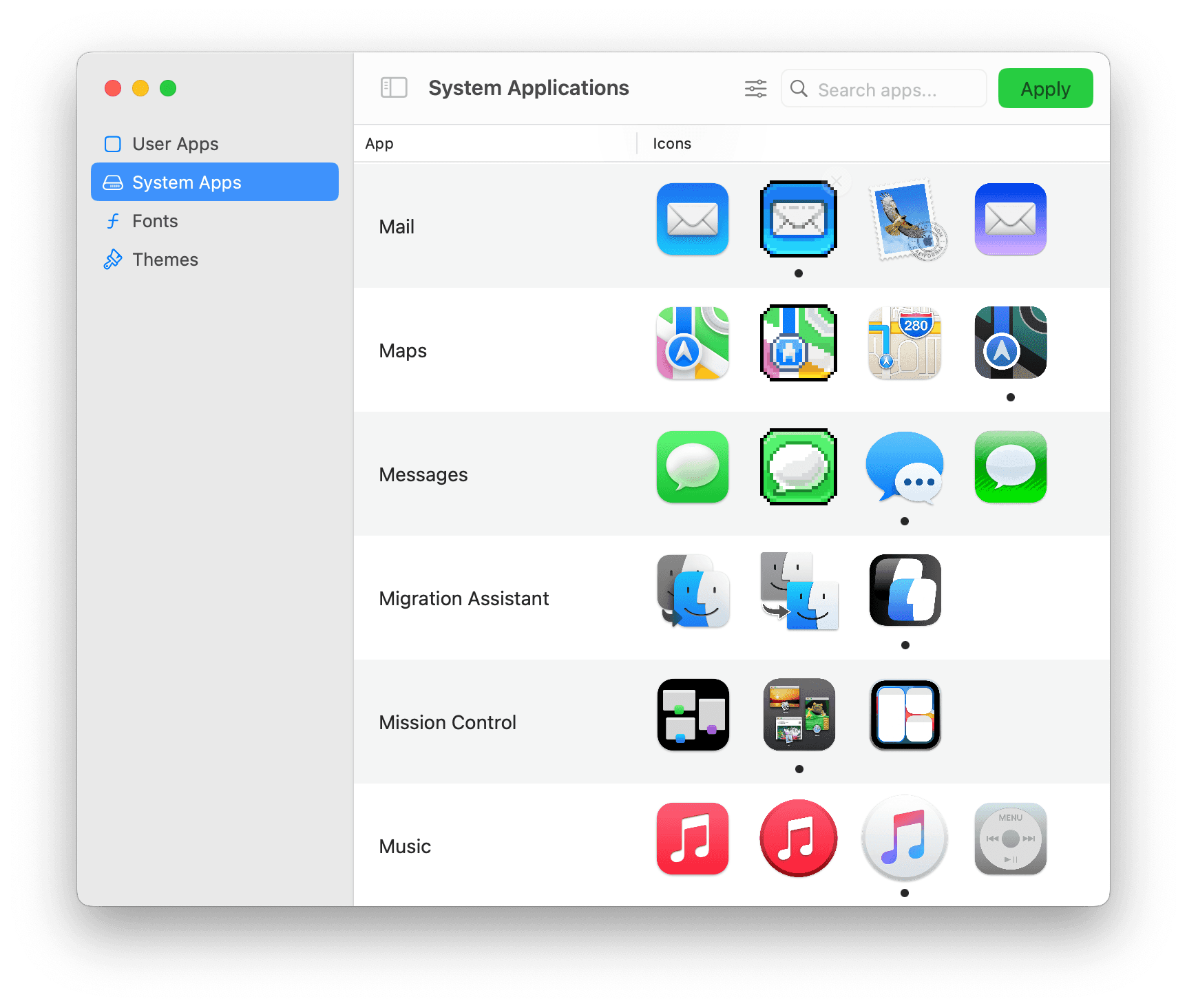
  • Works with system apps

  • Easy to use

  • No need to re-apply icons

  • No need to disable System Integrity Protection

  • Works with system apps

  • Easy to use

  • No need to re-apply icons

  • No need to disable System Integrity Protection

• Works with system apps

• Easy to use

• No need to re-apply icons

• No need to disable SIP

Change your icons to to match any aesthetic!

Simple Powerful

Simple Powerful

Simple Powerful

  1. Find the app you want to theme

  1. Drag in a new icon from your computer

  1. Click apply

  1. Find the app you want to theme

  1. Drag in a new icon from your computer

  1. Click apply

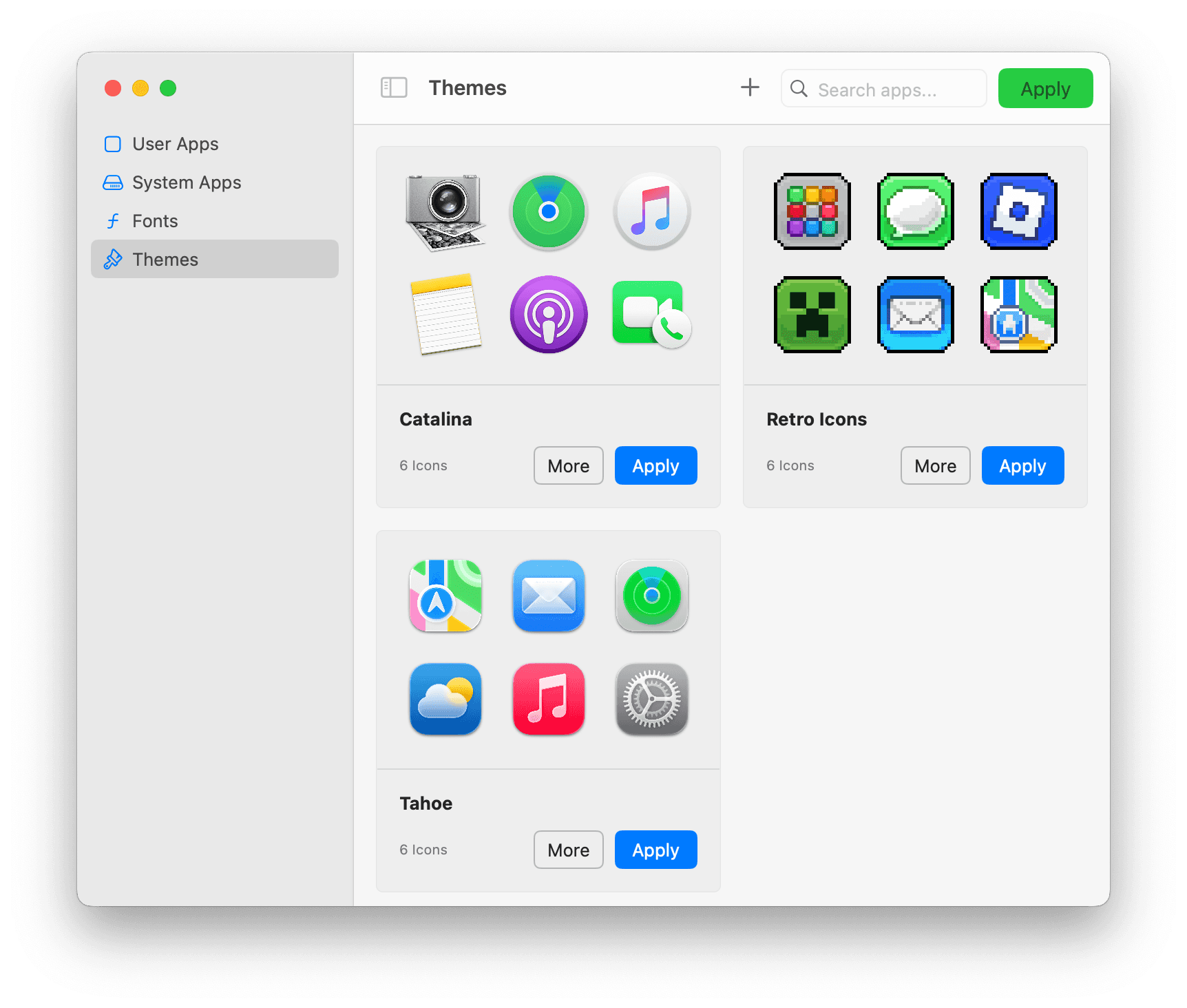
Themes

Themes

Themes

Easily group sets of icons for quick switching. (Coming Soon)

Easily group sets of icons for quick switching. (Coming Soon)

Change up the font!

Recoat also lets you change the font of your app's titles in both launchpad and the dock!

Recoat also lets you change the font of your app's titles in both launchpad and the dock!

Recoat also lets you change the font of your app's titles in both launchpad and the dock!

Recoat gives you complete control over your icons' aesthetics. Select an image, click apply, and your icons transform - no background processes, no reapplying. The way theming should be: set-and-forget.

Apply once

Apply once

Apply once

No need to re-apply, icons persist until you choose new ones.

No need to re-apply, icons persist until you choose new ones.

No need to re-apply, icons persist until you choose new ones.

Easy To Use

Easy To Use

Easy To Use

Self explanatory interface that works the way you'd expect.

Self explanatory interface that works the way you'd expect.

Self explanatory interface that works the way you'd expect.

Wide version support

Wide version support

Wide version support

All macOS versions from Big Sur to Sequoia are supported.

All macOS versions from Big Sur to Sequoia are supported.

All macOS versions from Big Sur to Sequoia are supported.

Themes (Soon)

Themes (Soon)

Themes (Soon)

Organise icons into groups for quick switching.

Organise icons into groups for quick switching.

Organise icons into groups for quick switching.

Search filters

Search filters

Search filters

Easily find your desired app with advanced filters.

Easily find your desired app with advanced filters.

Easily find your desired app with advanced filters.

Font Changing

Font Changing

Font Changing

Change the font of your apps titles with just a few clicks.

Change the font of your apps titles with just a few clicks.

Change the font of your apps titles with just a few clicks.

Revert Icons

Revert Icons

Revert Icons

Changed your mind? Simply select the original icon to revert.

Changed your mind? Simply select the original icon to revert.

Changed your mind? Simply select the original icon to revert.

Multiple Icons Per App

Multiple Icons Per App

Multiple Icons Per App

Build an icon library with multiple icons per app, then switch between effortlessly.

Build an icon library with multiple icons per app, then switch between effortlessly.

Build an icon library with multiple icons per app, then switch between effortlessly.

Native Mac Feel

Native Mac Feel

Native Mac Feel

Built with swift to fit in perfectly with all your other apps.

Built with swift to fit in perfectly with all your other apps.

Built with swift to fit in perfectly with all your other apps.

Watch A Demo

Watch A Demo

Watch A Demo

Icon theming done right.

Set and forget

Set and forget

Advanced methods to ensure seamless theming

Apply once, stays forever¹

Revertible

No blank or glitched icons¹

Doesn't compromise

Doesn't compromise

Customisation shouldn't mean reduced security

Works with System Integrity Protection

Doesn't need extra permissions in settings

Doesn't change system files

Best in class

Best in class

Advanced methods to ensure seamless theming

Easy to use

Suports system apps

No need for re-applying

Supports macOS Big Sur to Seqouia

Questions And Answers

How often do I need to re-apply icons?

Never, once you've set an icon it stays until you next change it. No janky re-applier needed.

Does it really work on system apps?

Yes

What macOS versions are supported?

All versions from macOS 11.5 Big Sur to macOS 15 Seqouia.

Personalisation Awaits

Download Recoat to customise your icons in just a few clicks.
